Pickup meme guide
How to make the Hit the Road Dude meme with your dog or cat
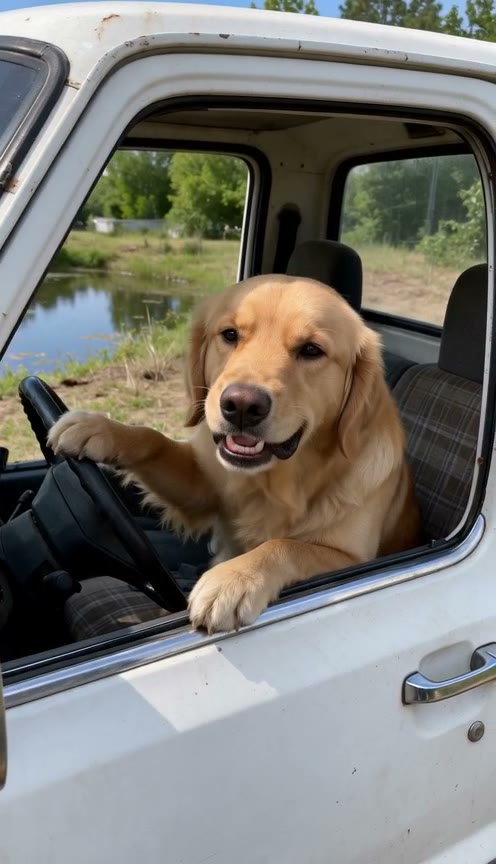
Choose Pet in the Hit the Road Dude AI generator and add one clear photo of your dog or cat. Your pet takes the wheel of the white pickup and delivers the “State?” and “Hit the road, dude” lines in a new AI voice. Compare both pet examples below before picking a photo.
- Dog and cat memes
- State Property meme
- AI voice
Updated · by MemeReel
Open the Hit the Road Dude generatorHit the Road Dude dog and cat examples
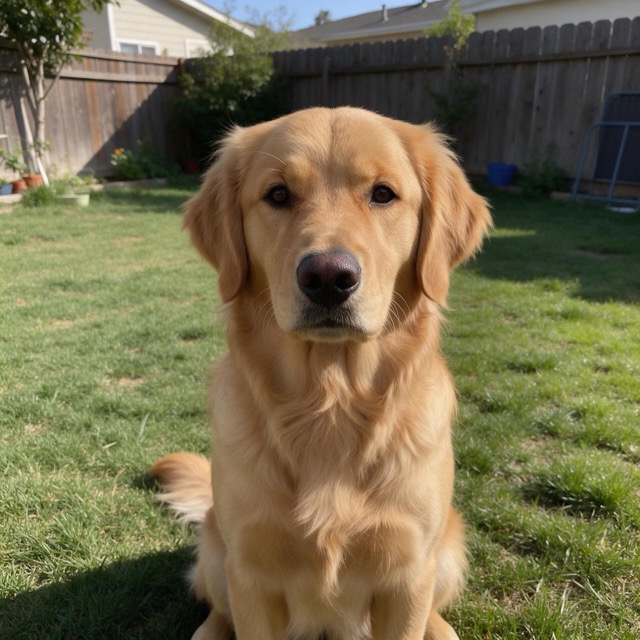
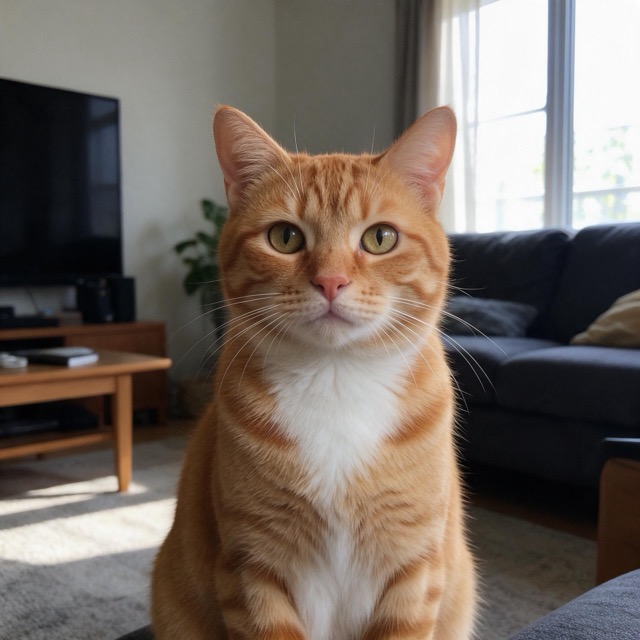
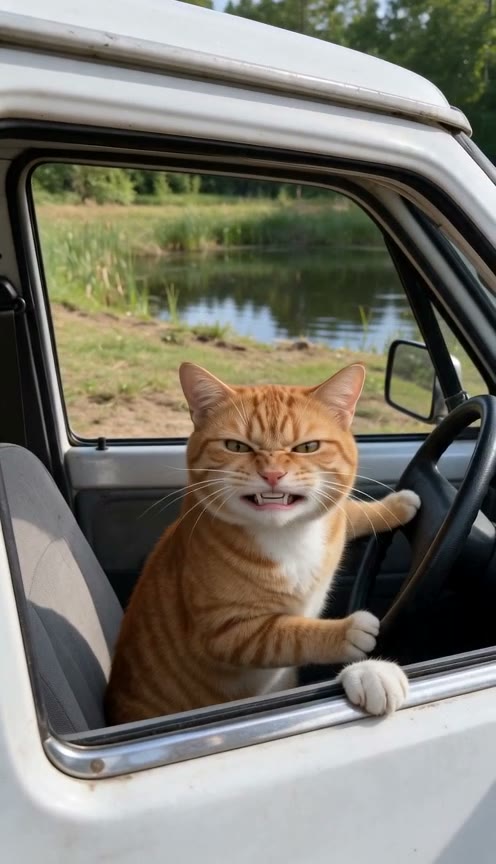
We made the dog version with a golden retriever and the cat version with an orange tabby. Each video started with one photo. The template supplied the white pickup, the scene at the pond and the spoken punchline.
Dog input photo
Cat input photo
Dog video still
Cat video still
Choose a dog or cat photo for the talking close-up
For a dog, try a sitting portrait with both eyes and the whole snout visible. For a cat, get down to eye level and pick a photo that shows the eyes, muzzle and fur markings in even light. Use one pet per photo. A living-room portrait works because the template adds the truck.
For a person, choose a sharp portrait of one adult looking toward the camera, with no hand, sunglasses or shadow covering the face. Try comparing two photos on your phone at thumbnail size. Choose the one where you can still recognize the face and expression. Use your own photo or ask the other adult first.
How to put your pet in the Hit the Road Dude video
- 1
Choose Pet and add one photo
Use a JPG, PNG or WebP. The Pet setting gives your dog or cat the gruff farmer voice. Use Person if you're making the meme with an adult portrait.
- 2
Start generation
Sign in and use credits, or pay $9.90 for one 720p video. Start the job and allow about four to six minutes. If you close the page after it starts, return to My activity for the result.
- 3
Check the final line
Play the 12-second vertical MP4 with sound. Listen for the pause after the off-camera setup and let the final line finish before trimming anything. For a reaction post, put your setup in the caption so it doesn't cover the driver's face.
Why the pickup and the pause matter
In the original pond clip, a driver reacts when someone says they thought they were on state property. People use the remake as a mock warning to leave. The pause after “State?” is part of the joke: give viewers enough time to register what your driver is supposedly protecting.
Play the cat or dog example in the gallery with sound. For a reaction post, use the caption to tell people what the pet is guarding, then let the delivery do the rest.
Hit the Road Dude AI video questions
What if my pet's face is hard to recognize?
Try another photo from closer up, taken at the pet's eye level in even light. Keep the full muzzle and both eyes in frame, and avoid a filter that changes the face.
Where can I hear the original Hit the Road Dude sound?
The Original video section on the generator page links to @bird28thegr8's TikTok. The AI pet video uses newly generated speech and the preset lines. To add a TikTok sound, look it up in TikTok when editing your post.
Can I type my own lines or upload audio?
The template generates speech from a preset script. You can add your own audio later in a video editor.
How can I turn my Hit the Road Dude pet video into a GIF?
Download your MP4 and open it in an editor that can export GIFs. Trim to a short reaction, such as your pet turning toward the window, then export it as a GIF. Share the MP4 if you want people to hear the punchline.
Who gets the keys?
One photo of your pet or you in, a 12-second Hit the Road Dude video with sound out: same truck, same lines, a new AI voice.
Open the Hit the Road Dude generator