Guide
How to Make the I Love the Smiths AI Video With Two Photos
Pick one photo for the person in headphones and one for the person who says “I love the Smiths.” MemeReel puts both into an elevator, remakes the full 20-second scene with them and adds the original audio: $6.90 at 480p, about 10–15 minutes, no app.
- I Love the Smiths AI video
- 500 Days of Summer elevator scene
- Tom and Summer elevator
- headphones meme
- two-photo AI video
- couple AI video
- TikTok trend
Updated · by MemeReel
Make your I Love the Smiths videoWhat is the I Love the Smiths AI video trend?
It recreates the elevator scene from (500) Days of Summer (2009). A song leaks from one person's headphones, the other recognizes it and says “I love the Smiths,” and a short, awkward, hopeful conversation follows. In November 2026 people started making AI versions with two photos: themselves and a partner, a friend or a crush.
The joke is the casting. Who wears the headphones and who says the line decides what the video says about the two of you.
From two photos to the elevator scene
This is a real run of the template, start to finish, with photos of two fictional adults. First both photos are placed side by side in an empty elevator; then the whole scene is made from that image, following the original scene's camera, timing, expressions and mouth movements. Nothing from the actors is kept.
Photo 1 · left

Wears the headphones. Hair and clothes come from this photo.
Photo 2 · right

Says the line and sings. The pink cardigan comes along.
Step 1 · the elevator

Both people in a walnut-and-brass elevator. Headphones added on the left.
Step 2 · the video
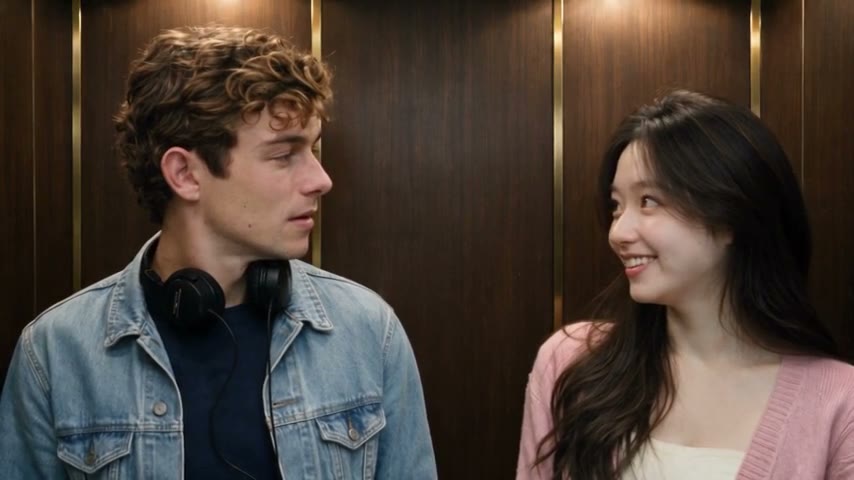
8.5 s into the result: headphones down, both turned to each other.
Compare faces in the finished video, not only in a still: likeness is strongest when a face is turned toward the camera and can drift a little in full profile. In this run the hair, the denim jacket and the cardigan stayed the same for all 20 seconds.
How to make an I Love the Smiths AI video
- 1
Watch the example with sound
Open the I Love the Smiths AI page and play the example. The lines, voices, timing and length you hear are exactly what your video gets.
- 2
Choose the person in headphones
Put their photo in the first box, Left · in headphones. They stare ahead, pull the headphones down and answer “Sorry?” and “You like the Smiths?”
- 3
Choose the person who says it
Put the second photo in Right · says the line. They say “I love the Smiths,” “You have good taste in music,” and sing a few words at the end. To swap roles, swap the photos.
- 4
Pick 480p or 720p and pay once
480p is $6.90 or 7 credits; 720p is $12.90 or 16 credits. You choose photos before signing in; there is no subscription.
- 5
Wait, check, download
Allow 10–15 minutes; the video also waits in My activity. Play it with sound, check both faces and the spoken and sung parts, then download the 16:9 MP4.
Which photos work best?
Use
- Two separate photos, one adult in each.
- A face that looks at the camera or is only slightly turned, with eyes, nose, mouth and hairline visible.
- Even light. A phone selfie by a window is enough.
- The clothes you want in the video: outfits come from the photos, not from the film.
- Chest-up or closer, so the face has enough pixels.
Avoid
- Group photos or a second face in the background.
- Sunglasses, a hand or a phone over the face, heavy filters.
- Strong backlight or a dark room.
- Full side profiles: the model has to guess the rest of the face.
- Children, public figures and photos of people who did not agree.
What we learned building the template: describing the people in words made them look less like their photos, and putting stand-in actors in the elevator first pulled faces and head angles toward the stand-ins. So the template never describes anyone; it starts from an empty elevator and takes faces, hair and clothes only from your photos.
The elevator scene, moment by moment
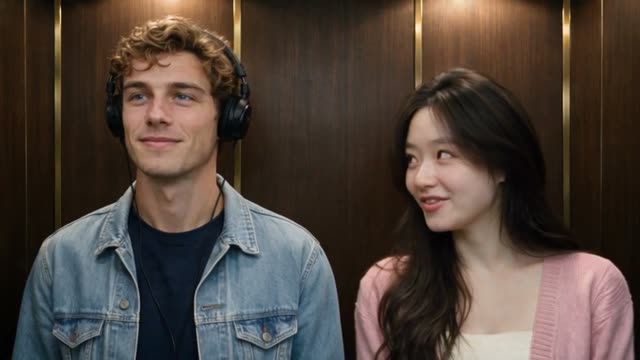
0–2 s
“I love the Smiths.”
Left stares ahead with headphones on; right glances over and says it.
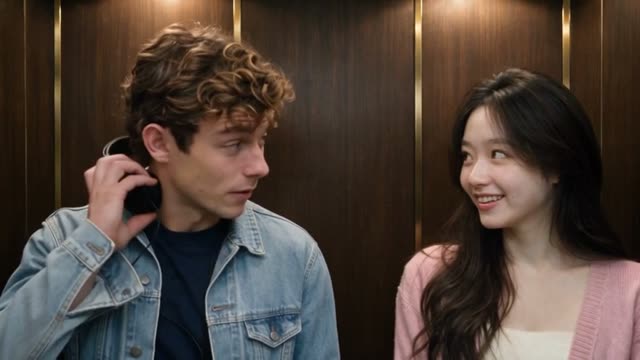
2–4 s
“Sorry?”
Left pulls the headphones down to the neck; right repeats the line.
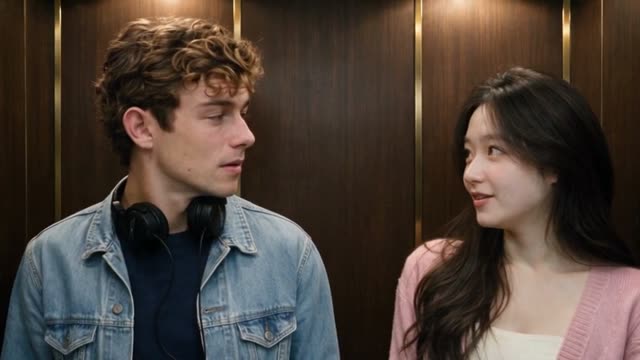
4–9 s
A quiet beat: they look at each other, a little surprised and a little pleased.
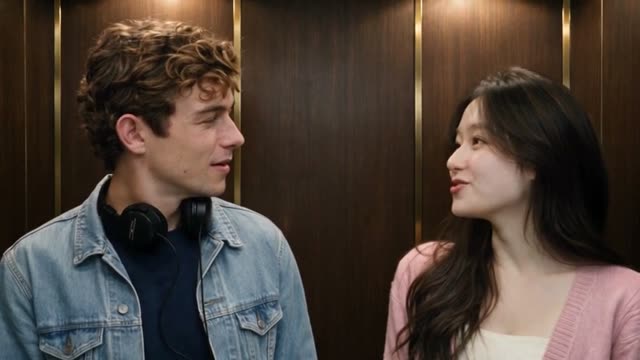
9–11 s
“You have good taste in music.”
Right says it; left answers “You like the Smiths?”
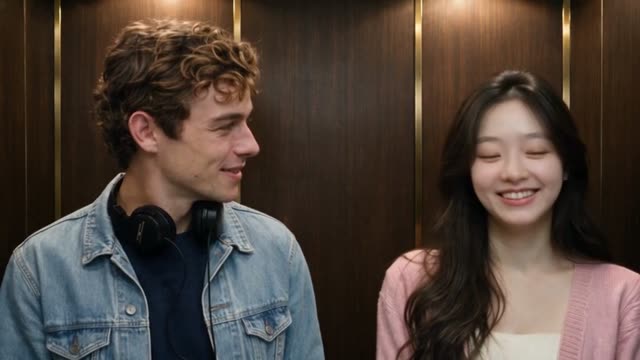
11–13 s
“Yeah.”
Right smiles and turns to face the front.
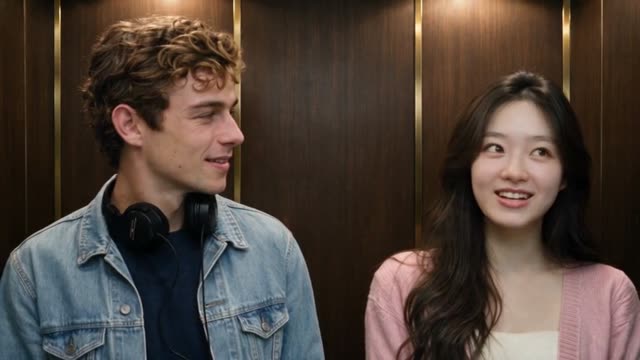
13–20 s
Right quietly sings a few words of the song; left keeps smiling, a little stunned.
Which version of the elevator scene is this?
Versions of the trend differ in what they keep. This template is the full scene in one shot, in the scene's original 16:9 shape.
| This template | Short cuts | Vertical remakes | |
|---|---|---|---|
| Length | About 20 seconds | Often 11–15 seconds | Varies, often 15 seconds |
| Ends with the singing | Yes | Usually cut | Varies |
| Shape | 16:9 landscape | Usually 16:9 | 9:16, re-staged |
| Camera and timing | Follows the original scene | Follows the original scene | Newly generated, varies |
| Sound | The scene's original audio | Usually original | Often new AI voices |
| Photos | Two, one per person | Usually two | Varies |
Price, sound and delivery
| Quality | One video | Or credits | File |
|---|---|---|---|
| 480p | $6.90 | 7 | 854×480 MP4, about 20 s, 16:9 |
| 720p | $12.90 | 16 | 1280×720 MP4, about 20 s, 16:9 |
Both include the scene's original audio, added after the video is made so the lines land on time, and no MemeReel watermark. There is no free version and no subscription. A photo our checks reject is not charged; if a video fails after it starts, you can retry a single-video purchase without paying again, or the credits return automatically.
Troubleshooting the elevator video
The wrong person is wearing the headphones
Photo 1 always becomes the person on the left in headphones. Make it again with the photos swapped.
A face doesn't look like the photo
Check frames where the face turns toward the camera; profiles drift most. Use a sharper, front-facing photo in even light. If a finished video is clearly unusable, write to support@memereel.net with the order reference.
My photo was rejected
Each photo needs exactly one adult, clearly visible, and no public figures. Try a different photo; rejected photos are not charged.
A word doesn't match the mouth
Mouths follow the original scene's timing, so most lines land, but lip sync is not word-perfect. Watch the whole video with sound before posting.
The lines or voices are not what I expected
The script, both voices and the song are fixed and come from the original scene. Custom lines and voices are not supported.
The app crops my video
The video is 16:9. TikTok and Reels may show it with bars or crop it; check the preview before posting.
I Love the Smiths AI video questions
How do I make the I Love the Smiths AI video?
Upload two photos on MemeReel's I Love the Smiths AI page: photo 1 for the person in headphones, photo 2 for the person who says the line. Pay $6.90 at 480p or $12.90 at 720p, wait 10–15 minutes and download the 20-second MP4 with the original audio.
Do I need the original movie clip or CapCut?
No. You only add two photos in the browser. No clip upload, CapCut template, filter or app is needed.
Is this the I Love the Smiths AI filter or the 500 Days of Summer face swap from TikTok?
It makes the same trend video, but not as a camera filter or a frame-by-frame face swap: the two people are redrawn from your photos in the whole 20-second elevator scene, with the scene's original audio.
Can I use one photo, a pet or a group photo?
No. It needs two separate photos of two consenting adults, one person in each.
Does it include the whole scene?
It includes the full 20-second exchange, from the headphones to the quiet singing, in one shot. It ends before the elevator doors open.
Can I change the dialogue, voices or song?
No. Those are fixed and come from the original scene's audio. Your photos decide who is in it and what they wear.
Are faces and lip sync exact?
Close, not guaranteed. Faces facing the camera match best; profiles can drift; mouths follow the original timing but are not word-perfect.
How long does it take?
Usually 10 to 15 minutes, plus any queue. You can leave and find the video in My activity.
Ready for the elevator?
Add two photos: one person gets the headphones, the other says “I love the Smiths.” You get the whole 20-second elevator scene with the film's sound.
Make your I Love the Smiths video