Video From Santa: A Personalized Santa Video Message
Turn a photo of your front door or living room into a short Santa video with sound. Santa leaves a present and says your child's first name and a message you choose. A phone photo is enough.
From $6.90 USD per video. Pay once, with no subscription or credit pack required.
Make a Santa video ↓Use a clear, wide shot with the doorstep and room for Santa and the gift. Up to 10 MB. No photo of your child is needed.
Choose a preset such as Helped at home, or write a short compliment of up to 50 characters.
What Santa will say · example
“Ho ho ho! Merry Christmas, Olivia! You helped your family so much this year. You're on my Nice List!”
Enter a name to replace the example.
Review the written greeting before checkout. Your personalized audio and video are generated after payment.
Video examples
Front door
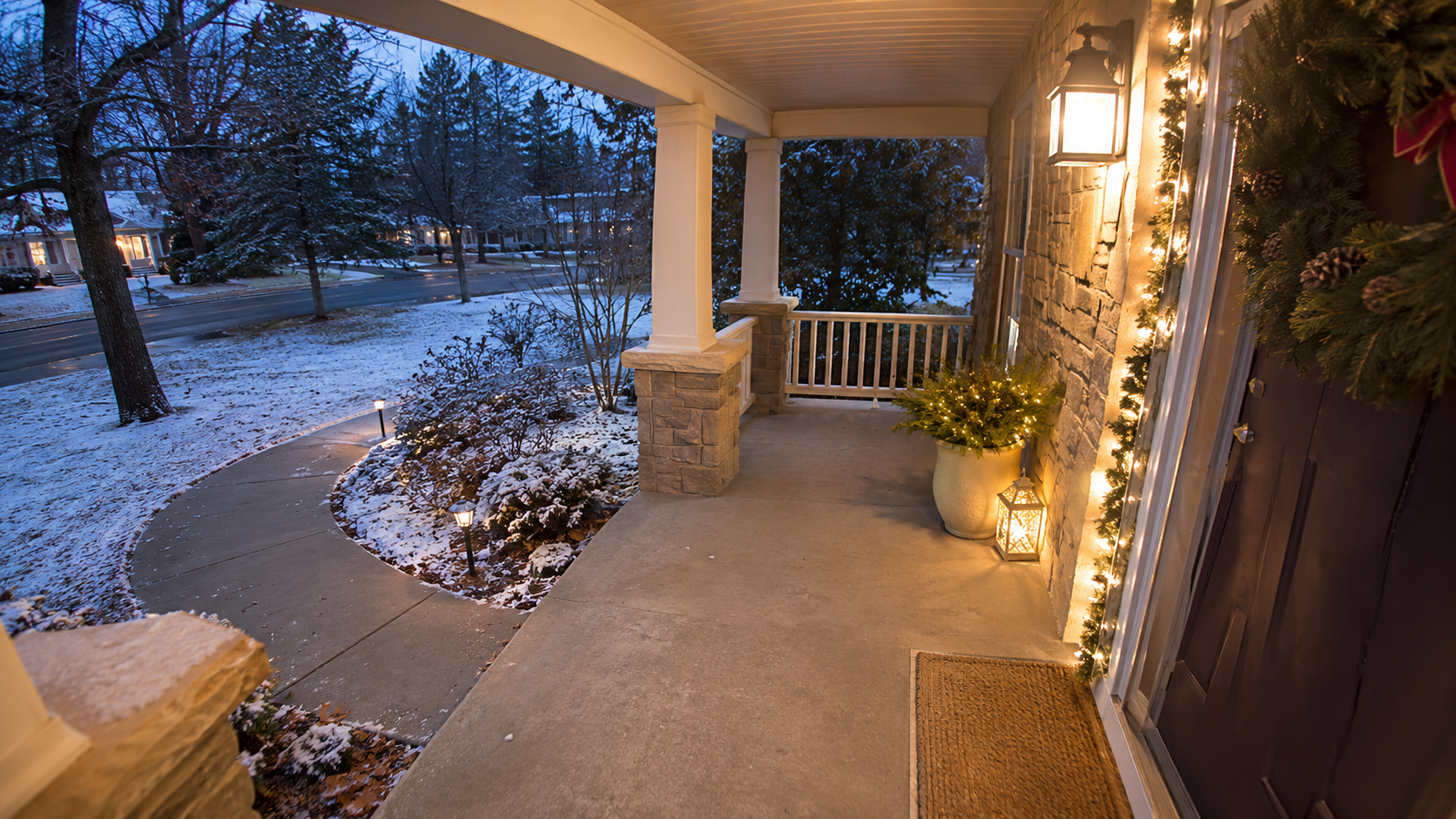
Original front-door photo
16-second video made from this photo
Living room
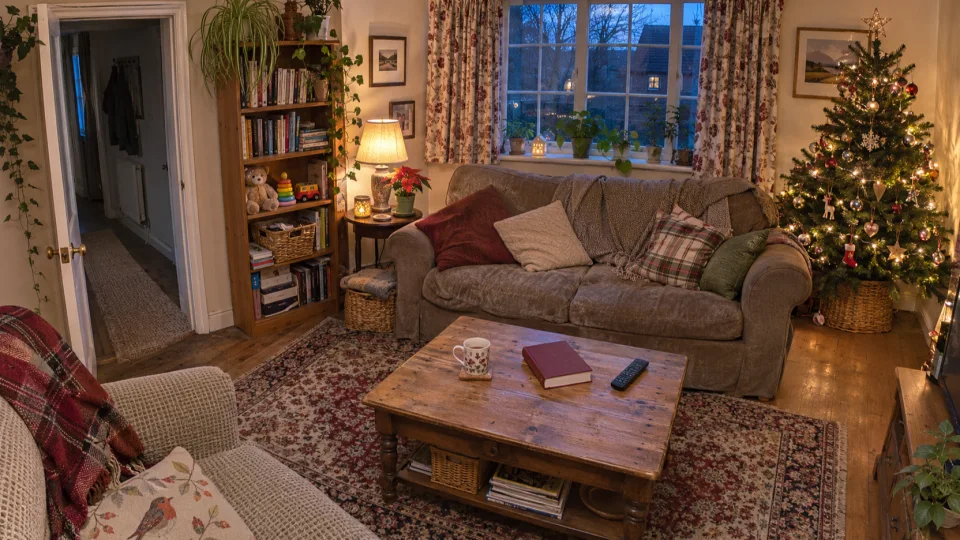
Original living room photo
16-second video made from this photo
How to make a Santa video message
Choose your photo
Use a clear photo of your front door or living room. Show enough floor or ground space for Santa and the gift.
Make it personal
Choose a Santa look, enter one first name and add a short compliment. Read the greeting before paying.
Pay once, then download and share
Sign in and pay once. When the video is ready, open My activity and select Download MP4. Send the saved file by WhatsApp, text or email.
Video From Santa
If you want a video from Santa that looks like a visit to your own home, start with a photo of the entrance. The front-door example begins with a quiet porch. Santa comes into view, sets a gift by the door and steps closer to speak. Play it with sound to hear how he works the name Olivia into the greeting.
For a similar result, take a wide photo that includes the landing and a clear route to the door. A daytime phone photo works because MemeReel creates the nighttime scene. Keep the place where you want the present visible when you crop. The person receiving the video only needs the finished MP4.
Personalized Santa Video
The living-room sample shows how a familiar room can be part of a personalized Santa video. Santa places a gift near the tree and greets Olivia as he walks toward the camera. If your room has no tree, choose a view with enough floor space for a package and keep the background details you want in the crop.
Enter the recipient’s first name and choose a short compliment that sounds like something your family would say. Mention a specific moment, such as helping set the table or welcoming a new classmate. If people often mispronounce the name, add the way you say it at home. You can read the complete Christmas greeting before paying.
Santa Video Message
A Santa video message is a recording you can send whenever the recipient has time to watch. The sample here shows the front-door clip edited for a phone screen, with captions highlighting the name and compliment. Those captions were added for sharing. You can send the downloaded MP4 as it comes, or add captions in your own editor.
If you’re sending the video to a parent or grandparent, check the spoken name and message before attaching it to a family chat. You can choose 480p for everyday sharing or 720p when you want a higher-resolution copy. Keep the original download if you plan to make a second edit or watch the greeting together on a larger screen.
Santa video questions
What is a video from Santa?
It is a short recording of Santa speaking to the recipient. A MemeReel video shows Santa visiting the home in your photo and saying a first name and a short compliment. A letter from Santa is a written greeting.
Can I get a message from Santa for free?
You can watch the sample videos and read your own draft greeting for free. Generating and downloading a personalized Santa video starts at $6.90 USD.
Can I take the photo during the day?
Yes. A clear daytime photo gives Santa a recognizable setting. MemeReel adds the nighttime lighting to the scene.
What kind of photo should I use?
Use a clear photo with enough room for Santa and a gift. For Front door, show the entrance and the ground in front of it. For Living room, show an open part of the floor. A phone photo or a clear camera still works. Choose a JPG, PNG or WebP and crop it to the video format you want.
Can I download my Santa video and send it on WhatsApp?
Yes. Sign in to MemeReel, open My activity and select Download MP4 when the video is ready. Attach the saved file to a WhatsApp chat, or send it by text or email to a parent or grandparent.
Do I need a subscription to make a Santa video?
You can buy one video without a subscription or credit pack. Choose 480p for $6.90 or 8 credits, or 720p for $9.90 or 12 credits. Prices are in USD and applicable tax is calculated at checkout.
Do I need a photo of my child?
No. A photo of your front door or living room provides the setting. The recipient's first name goes in the greeting, so you can make one for a child or grandchild without uploading their photo.
What can Santa say? Can I write my own script?
Santa says the first name and one short compliment in a set Christmas greeting. Choose a message such as Helped at home, or write a sentence of up to 50 characters, such as “Thank you for helping set the table.” You can read the full greeting before continuing. Some messages may need to be shorter to fit.
What if the name is hard to pronounce?
Open “Tricky to pronounce?” and spell the name the way it sounds, such as “Seer-sha” for “Saoirse.” The original spelling stays in the message preview. AI pronunciation can vary.
What can I preview before I pay?
You can watch the sample and review your own photo, Santa choice and written greeting before paying. Your personalized audio and video are generated after payment.
How long does it take? Can I leave while my video is being made?
Generation starts when payment is confirmed and continues in the background. You can close the page and check My activity for your order and download. If you need the video for Christmas Eve, order early and allow time for processing.
Can Santa say more than one child's name in a video?
Each greeting is designed for one first name. You can make a separate video for each child using the same scene photo.
Can I choose what Santa looks or sounds like?
Choose from two Santa appearances in the form. The greeting is in English. Accent selection is currently unavailable. The final appearance and voice may vary in an AI-generated result.
What if my video cannot be made?
Check My activity for the result. Credits are returned automatically when a video is confirmed failed. If an order needs review, contact support@memereel.net; you do not need to pay again while we check.
Can Santa visit my living room?
Yes. Select Living room and upload a wide photo with open floor space for Santa to set down a gift. A Christmas tree is optional.
Is this a Santa video call?
This is a recorded, personalized video message you can download and share.
Is this real footage from my camera?
Your photo supplies the setting. AI generates Santa's visit and voice in a fixed-camera view. A photo is all you need.